
Table of Contents
What Does GPU Mean?
GPU meaning is Graphics Processing Unit. It’s the part of your PC that takes care of everything you see, games or videos and even animations.
The CPU tells your computer what to do, and the GPU shows it on the screen.
So, when your games look sharp or your video doesn’t stutter that’s your GPU doing its job.
Why Was the GPU Created?
Ever tried playing an old game on a weak PC and it lagged like crazy?
Yeah, that’s how computers used to be all the time. They could show simple stuff, but once you threw in 3D graphics or videos, they just couldn’t keep up.
That’s when companies like NVIDIA and AMD stepped in with a smart idea, make a separate chip just for graphics. That’s how the GPU was born.
Now the CPU handles the basic work, while the GPU takes care of all the heavy visual stuff, drawing, shading, and making everything look smooth.
CPU vs GPU
| CPU | GPU |
|---|---|
| The brain of the computer | The graphics engine |
| Runs apps and system tasks | Creates visuals on screen |
| Has a few powerful cores | Has many smaller cores |
| Best for general tasks | Best for gaming and graphics |
| Decides what happens | Shows what you see |
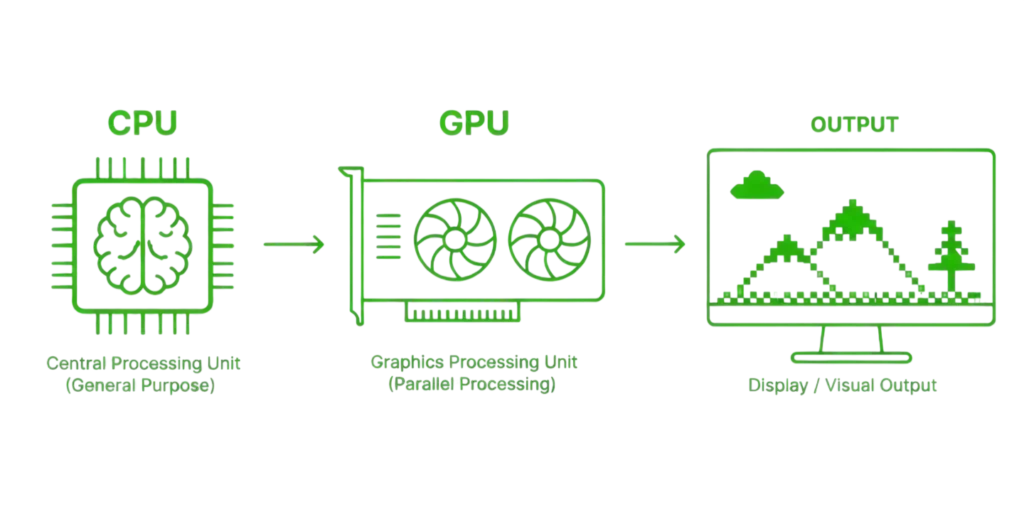
Even with a strong CPU, a weak GPU can cause low FPS in games, which is why gamers focus heavily on graphics cards.
What Exactly Does a GPU Do?
The GPU’s main job is to convert data into images. Every single thing you see on screen is made up of tiny pixels.
The GPU quickly decides what color each pixel should be and updates it many times every second.
For example, if your game is running at 60 FPS, the GPU is drawing 60 full images every second.
That includes:
- player movement
- shadows
- lighting
- reflections
- textures
- explosions
- UI elements
This is why stronger GPUs make games look smoother.
For example, a card like the NVIDIA GeForce RTX 4090 can easily handle 4K gaming with ultra settings, while older cards like the NVIDIA GeForce GTX 1650 are better suited for 1080p gaming.
Types of GPUs
There are two main types of GPUs.
1) Integrated GPU
An integrated GPU is built inside the processor. It does not come as a separate graphics card. Instead, it shares the computer’s RAM.
This type is common in:
- laptops
- office PCs
- school computers
- budget desktops
Examples include integrated graphics from Intel and AMD processors.
Integrated GPUs are good for:
- watching videos
- browsing
- online classes
- light editing
- older games
But modern heavy games can struggle on it.
For example, games like Cyberpunk or Warzone may run poorly.
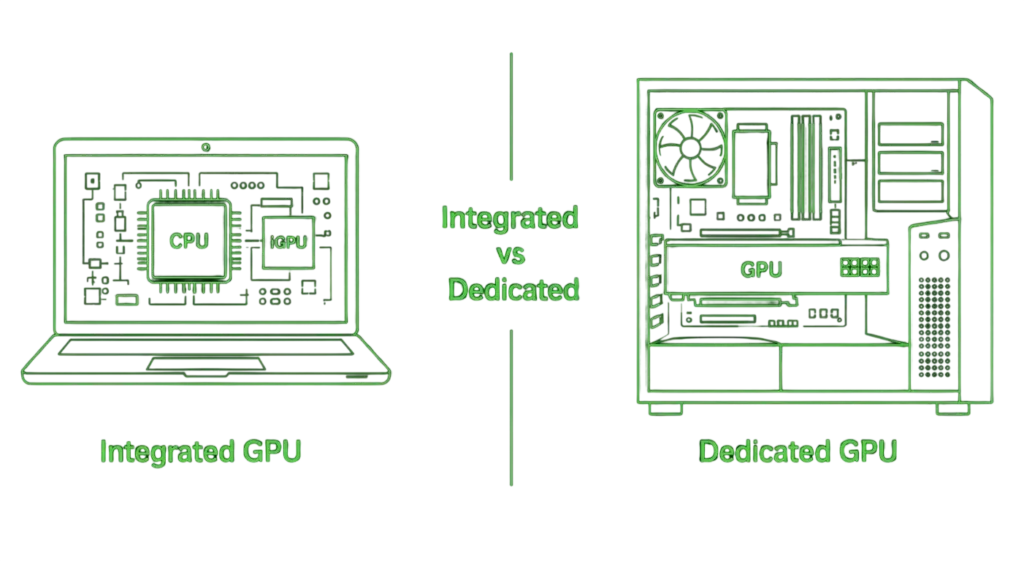
2) Dedicated GPU
A dedicated GPU is a separate graphics card installed inside the PC.
This is what gamers usually buy.
It comes with its own:
- GPU chip
- VRAM
- cooling fans
- power connectors
Examples include:
- NVIDIA GeForce RTX 5090
- NVIDIA GeForce RTX 3060
- AMD Radeon RX 6600
- AMD Radeon RX 590
- Intel Arc Pro B60
These cards are much stronger than integrated graphics.
What Is VRAM?
VRAM (Video Random Access Memory) is the memory inside your GPU.
It’s where the GPU stores things like game textures, images, and effects while you play or edit videos.
More VRAM means your GPU can handle bigger and better visuals like 4K games or high quality videos without slowing down.
Less VRAM means your PC might stutter or load slower in heavy tasks.
Here’s a quick idea:
- 2 – 4GB VRAM is good for light use
- 6 – 8GB is solid for 1080p gaming
- 10GB or more is great for 4K or editing work
For example, the NVIDIA GeForce RTX 5090 comes with massive VRAM that helps in 4K gaming and creative workloads.
Why the GPU Matters?
The GPU directly affects how smooth and beautiful your computer looks.
Without a good GPU:
- games lag
- FPS drops
- videos may stutter
- editing becomes slow
A strong GPU improves:
- frame rate
- graphics quality
- smoothness
- render speed
This is why gamers and creators focus so much on the graphics card.
How to Choose the Right GPU
This depends on what you do.
For normal use
If you only use:
- YouTube
- office work
- browsing
- online classes
then integrated graphics is enough.
For gaming
For games, a dedicated GPU is much better.
Examples:
- Budget Level: AMD Radeon RX 6600 XT and NVIDIA GeForce GTX 1070
- Mid-Range: Nvidia GeForce RTX 2060 and AMD Radeon RX 590
- High-End: Nvidia GeForce RTX 2070 Super and Intel Arc A770
Tip: Don’t just buy the most expensive one, buy the one that matches your needs.
FAQs About GPU
What does GPU mean in simple terms?
In simple terms, a GPU is the part of your computer that makes everything on your screen look smooth and clear, like games, videos, and animations.
What does GPU mean in gaming?
In gaming, the GPU is responsible for rendering every frame you see. A stronger GPU means higher FPS, better graphics, and smoother gameplay.
How do I check which GPU I have?
On Windows, open Task Manager, go to the Performance tab, and click on GPU. You will see your GPU name and usage there.
How much VRAM do I need?
For basic use, 4GB is enough. For 1080p gaming, 6–8GB works well. For higher resolutions like 1440p or 4K, more VRAM is better.
Final Thoughts
The GPU is one of the most important parts of any modern computer.
It is the reason games look smooth, videos play clearly, and your PC feels visually fast.
In simple words:
the GPU turns computer instructions into everything you see on your screen
Whether you are building your first gaming PC or just learning computer basics, understanding the GPU helps you make smarter buying decisions.

Every weekend i used to go to see this web site, as i wish for enjoyment,
since this this web page conations in fact good funny material too.