
Table of Contents
Why Your Video Editing Feels Slow (And What’s Causing It)
Ever tried editing a video and your laptop suddenly starts lagging?
You add a simple effect, and the preview freezes.
You hit export, and it says “2 hours remaining.”
Frustrating, right?
Most beginners think their PC or laptop is just slow, but in reality, the biggest reason is often something else:
Your GPU.
In this guide, we’ll break down GPU uses in multimedia in the simplest way possible, no technical jargon, no confusion. Just clear, real explanations anyone can understand.
What Does GPU Mean?
A GPU stands for Graphics Processing Unit.
In simple words: It’s the part of your computer that handles most of the visual work you see on the screen.
For example:
- Playing a video
- Editing a photo
- Running a game
- Rendering a 3D model
Think of it like this:
- CPU = handles general tasks (like opening apps, calculations)
- GPU = handles visuals (images, videos, graphics)
So whenever you’re working on anything visual, the GPU handles most of that visual workload.
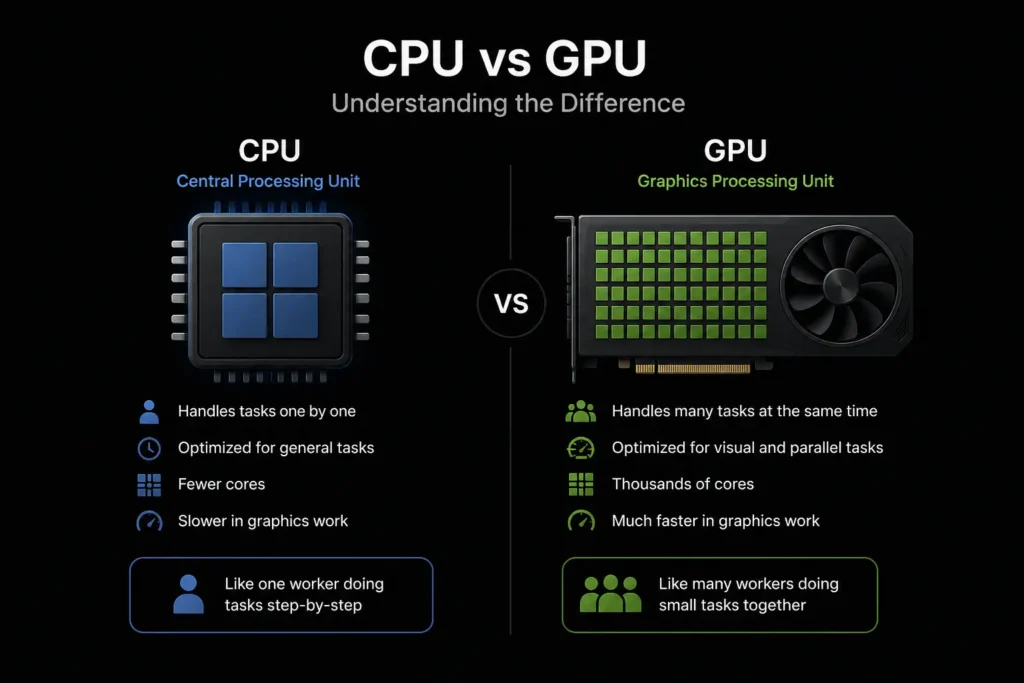
CPU vs GPU
| Feature | CPU | GPU |
|---|---|---|
| How it works | Handles tasks one by one. | Handles many small visual tasks at the same time |
| Main job | Runs system and apps. | Handles images, videos, and graphics. |
| Best for | General tasks like browsing, opening apps etc. | Heavy visual work like editing, Gaming etc. |
| Speed in graphics work | Slower | Much faster |
| Real-life example | One worker doing tasks step-by-step | 100 workers doing small tasks together |
| In video editing | Causes lag and slow rendering | Smooth playback and faster export |
Why Multimedia Work Feels Slow Without a GPU?
Multimedia tasks are heavy, especially when working with videos and high-resolution content.
When you edit videos, add effects, or work with high-resolution images, your computer has to process a huge amount of visual data every second.
Without a GPU, all of this work falls on the CPU alone.
And the CPU isn’t built for handling graphics like this.
The result?
- Laggy timeline
- Slow previews
- Delayed effects
In simple words: your system starts to struggle, and everything feels slow.
With GPU vs Without GPU
Here’s the difference most beginners never understand:
| Task | Without GPU | With GPU |
|---|---|---|
| Video Playback | Laggy | Smooth |
| Effects | Slow | Instant |
| Export Time | Very long | Much faster |
| Preview | Freezes | Real-time |
This is why a GPU is not a luxury anymore, it’s a necessity.
Real GPU Uses in Multimedia
Now let’s look deeper into real GPU uses in multimedia and how they affect your work.
Video Editing
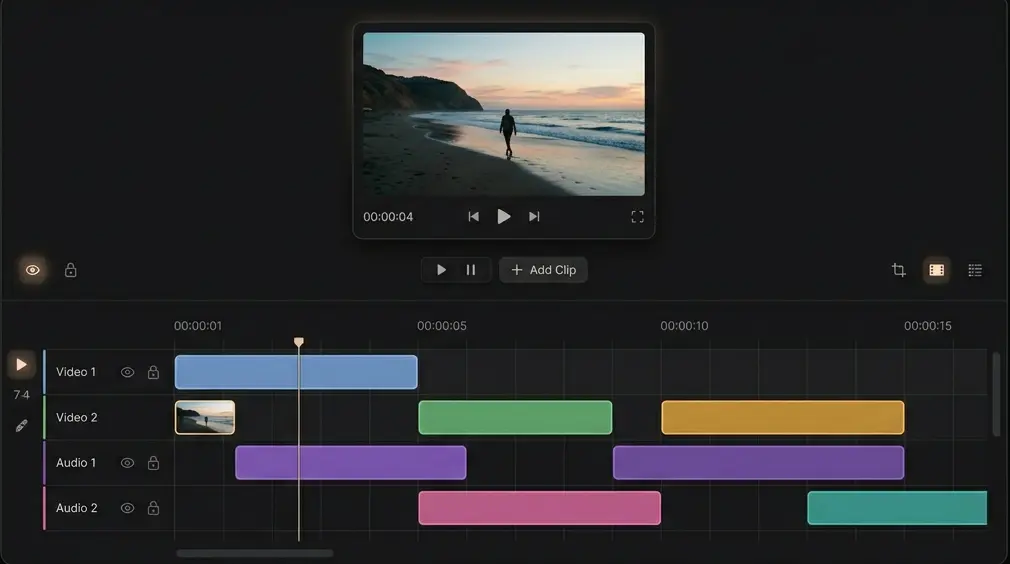
If you edit videos, a GPU can completely change your experience.
Without a GPU:
- Timeline feels laggy
- Preview keeps freezing
- Export takes a long time
With a GPU:
- Smooth playback
- Real-time effects
- Faster rendering
Even basic editing becomes much easier and less frustrating.
Graphic Design & Image Editing
Working on large images or complex designs?
Without a GPU:
- Zooming feels slow
- Moving layers stutters
With a GPU:
- Smooth zoom and movement
- Instant filters and adjustments
This is especially helpful when working on high-resolution designs.
3D Animation & Modeling
This is where a GPU becomes essential.
Without a GPU:
- Rendering takes a very long time
- Previews are slow and unresponsive
With a GPU:
- Real-time previews
- Much faster rendering
- Smoother overall workflow
Without a GPU, 3D work quickly becomes frustrating.
If you want deep knowledge about this topic, check out this article: 3D Animation & Modeling
Motion Graphics (Animations & Effects)
If you create animations or use effects:
Without a GPU:
- Preview lags
- Rendering takes too long
With a GPU:
- Instant previews
- Faster output
This can save you hours of waiting.
AI Tools in Multimedia (New but Powerful)
Modern editing tools now use AI for things like:
- Background removal
- Image enhancement
- Video upscaling
These tasks require heavy processing.
A GPU helps handle these tasks quickly, so results appear almost instantly instead of taking minutes.
Real-Life Example
Let’s say a beginner YouTuber is editing a 4K vlog.
Without a GPU:
- Timeline keeps lagging
- Preview freezes
- Export takes hours
With a GPU:
- Smooth editing
- Instant preview
- Much faster export
Same work, but a completely different experience.
Do You Actually Need a GPU?
Let’s not oversell this.
| You don’t need a strong GPU if | You should have a GPU if | You must have a GPU if |
|---|---|---|
| you only browse internet | you edit videos regularly | you do 4K editing |
| basic school work | design graphics | 3D work |
| very light editing | work with animations | heavy effects or AI tools |
Simple rule:
More visual work = more GPU needed
Best GPUs for Multimedia Work
Understanding different GPU uses in multimedia also helps you choose the right graphics card.
| Use Case | Recommended GPU | Why It’s Good |
|---|---|---|
| Basic Editing (1080p, simple design) | GTX 1650 | Much faster rendering, affordable |
| Smooth 1080p + Light 4K Editing | GTX 1660 or RTX 2060 | faster rendering, better playback |
| 4K Video Editing & Heavy Design | RTX 3060 or RX 6600 | handles high-resolution without lag |
| Advanced Editing + Motion Graphics | RTX 2070 or Arc A770 | better effects, timeline, multitasking |
| 3D Animation & Heavy Work | RTX 3060 (12GB) | extra VRAM for complex scenes |
| High-End Professional Work | RTX 5090 | extreme performance for 3D, AI, production |
Tip: If you’re just starting, don’t overspend. A mid-range GPU like RTX 3060 is more than enough for most creators.
Final Verdict
A GPU is not just for gamers anymore.
It plays a major role in:
- video editing
- graphic design
- animation
- modern AI tools
Without a GPU, multimedia work feels slow and frustrating.
With a GPU, everything becomes smooth, fast, and enjoyable.
If you’re serious about creating content,
A GPU can save you hours of time if you work with videos or design.
